
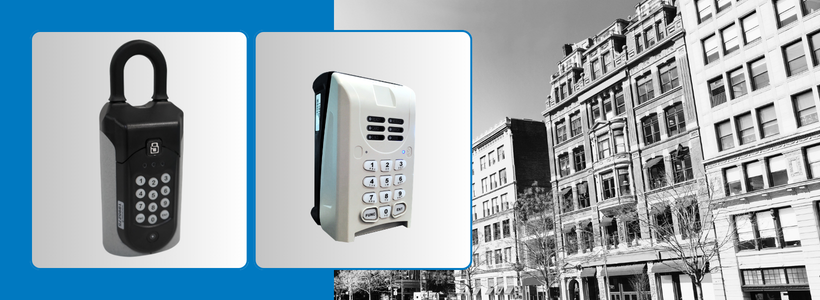
This allows for secure access to listings for REALTORS® and improves building security by avoiding the placement of REALTOR® lockboxes outside and exposed in busy urban areas.
What to know before you go:
• Check our Lobbybox list to see installation details and the current key or fob status.
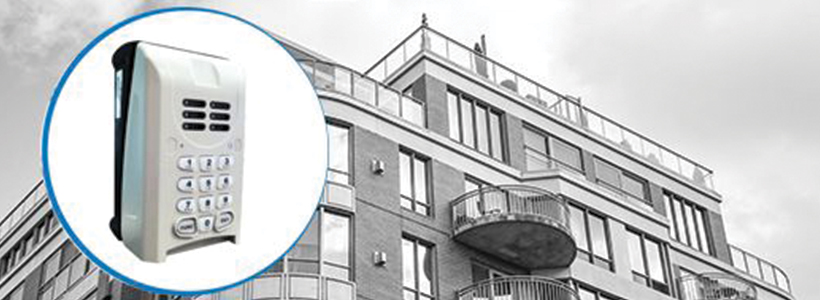
• You may encounter two different Lobbybox styles. Most established buildings in the program have a shackle-less model that opens toward you. Newer installs use a bracketed model with a shackle that opens from the bottom.
• Open the Lobbybox using your SentriKey® Real Estate app and retrieve the available key or fob to access the building.
• Only take the key or fob with you if it's required for elevator access to the unit's floor. Otherwise, return it securely to the Lobbybox after opening the main entrance. If you must take the key or fob with you, place your business card inside the Lobbybox to let other REALTORS® know it is in use.
• Never leave the Lobbybox hanging open for any reason. If you see an open Lobbybox, close it immediately.
• Never place a client's key or fob in the Lobbybox. It's for the CREB® key or fob only.
• If a key or fob or Lobbybox is damaged, malfunctioning or missing, contact CREB® immediately at 403-781-1379, option 2, or support@creb.ca so an investigation can be launched.
What if a REALTOR® from another board or a non-licensed real estate professional needs access?
The listing agent can complete the Lobbybox Access Request Form and send it to support@creb.ca to request an access code.
Access codes are only valid for one hour after initial use. If an appointment may take longer than one hour, notify CREB® Member Support (support@creb.ca) right away so a second code can be issued.
For more information, review the Q&A linked here and visit the CREB® Lobbybox Program page on CREB®Link.

{ 0 comments…}